|
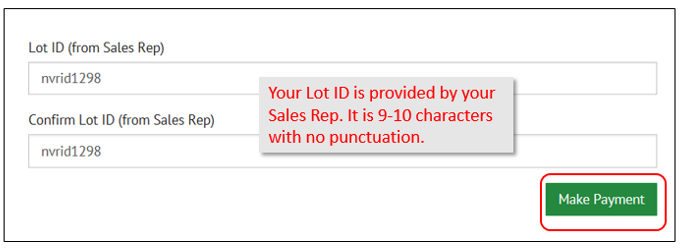
1. Enter
your Lot ID (Identifier) that you received from your Sales
Representative, and re-enter the same ID to confirm. This ID is 9-10 characters long and does not
contain any punctuation. 2.
Click the Make Payment button.
3. Enter
information in all required fields which include Customer Name, Primary
Telephone Number, and Primary Email Address. 4. Type
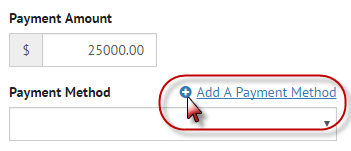
the Payment Amount and click Add a Payment Method to add your Bank
Information.
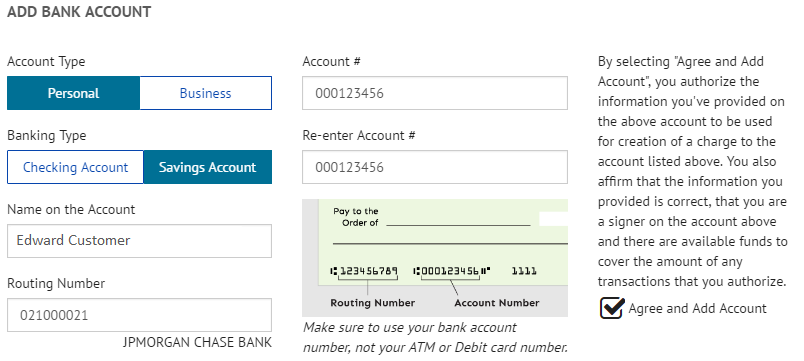
5. Select
the account types that contain the funds and then type the account information. 6. Click
the checkbox to agree to add the account and click the Add button.
7. Click
the Continue to Payment button
8. Click
the checkbox to agree to the Terms and Conditions and then click the Make Payment button to complete the
transaction.
9. You
will be able to print the payment Confirmation and you will receive a
Confirmation email. 10. Please
call your Sales Representative if you have any questions. |